
Logistics and Warehousing
Use Datature Vi to detect damaged goods, count inventory, verify shipments, and read labels in warehouse and logistics environments.
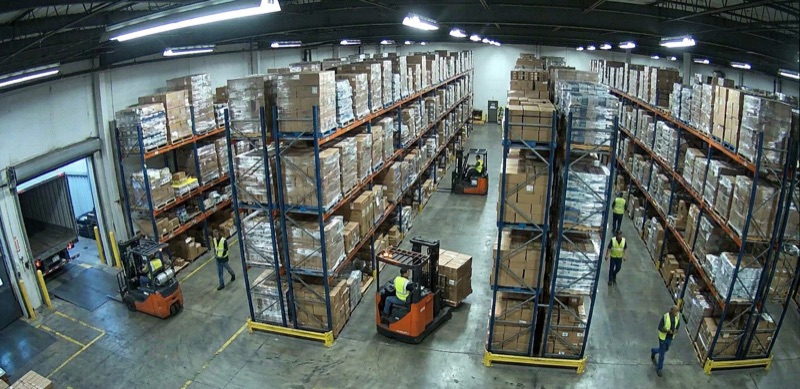
Warehouses and logistics operations generate enormous volumes of images: receiving docks, conveyor belts, shelf cameras, loading bays. Most of these images go unreviewed. When something goes wrong, the team finds out too late.
Datature Vi trains AI models on your own warehouse photos so they can spot problems in real time. Crushed packages on the conveyor, wrong products in a shipment, empty shelf slots that should be full. The model learns from examples you provide, then watches your camera feeds and flags issues as they happen.
No data science team is needed. If your warehouse team can take photos and describe what they see, that is enough to get started.
For an interactive overview of this application, visit the warehouse intelligence use case on vi.datature.com.
Common applications
Damaged goods detection
What you need
- 50–150 images of packages on your conveyor belt or receiving dock
- At least 20–30 images showing actual damage (crushed corners, water damage, torn packaging)
- Consistent camera angle matching your production setup
Task type: VQA
Use Visual Question Answering with a standard question across all images:
For automated pipelines, combine with structured data extraction to return JSON:
{
  "condition": "damaged",
  "damage_type": "crush",
  "location": "top right corner",
  "severity": "high"
}
Task type: phrase grounding
Use Phrase Grounding if you need bounding boxes around the damaged area, for example to crop and attach to a damage report:
- Annotate each damaged image by drawing a box around the damage and labeling it:
"crush damage","water damage","torn corner" - At inference, the model returns bounding box coordinates you can use to highlight the damage in your dashboard
Inventory counting
What you need
- Images of your shelves, pallets, or bins
- Annotations that state the count of target items
Task type: VQA
Train a VQA model with count-based questions:
For crowded shelves or overlapping items, chain-of-thought reasoning can improve counting accuracy. The model reasons through the image row by row before stating a final count, reducing miscounts from occlusion and overlap.
Shipment verification
Verify that delivered goods match what was ordered. This is useful for receiving dock automation.
Task type: VQA
Train a model on images of your common products with verification questions:
Structured output for automated receiving
Use structured data extraction to integrate with your receiving system:
{
  "product_match": false,
  "detected_product": "XR-150",
  "expected_product": "XR-200",
  "action": "hold_for_review"
}
Label reading
Read shipping labels, SKU codes, or product identifiers from images taken at variable angles and lighting conditions.
Task type: freeform text / VQA
Train on images of your label formats with extraction prompts:
For multiple fields from one label, use structured data extraction:
{
  "tracking_number": "1Z999AA10123456784",
  "destination_zip": "94102",
  "weight_kg": "2.3",
  "service_class": "priority"
}
Training tips for logistics
Capture images in real conditions: warehouse lighting, motion blur from conveyors, and product orientation variation should all appear in your training data.
Include negative examples: for damage detection, include plenty of undamaged package images. For counting, include empty shelves.
Use consistent prompts: the same question phrasing should be used across all annotations and at inference. Changing the prompt wording can reduce accuracy.
Start small: run a first training pass with 50–100 images, test it on your real environment, then expand your dataset to address specific failure cases.
Next steps
Structured Data Extraction
Return machine-readable JSON from logistics inspections for direct integration with your systems.
Chain-of-Thought Reasoning
Improve accuracy on complex counting and multi-step verification tasks.
Visual Question Answering
Full reference for VQA dataset type, annotation format, and best practices.
Updated about 2 months ago