
Add Annotations
Label your images by uploading existing annotation files or creating new annotations in the Datature Vi annotator.
A dataset with images uploaded, and annotation files in a supported format (or time to create them in the annotator).
Annotations tell the VLM what to look for or answer. For phrase grounding datasets, annotations are bounding boxes with text phrases. For visual question answering datasets, annotations are question-answer pairs. Each annotation pair consumes Data Rows from your organization's quota. You need at least 20 annotated images to start a training run, though 100 or more gives better results. For task-specific annotation walkthroughs, see the detailed guides for phrase grounding, VQA, and freeform text.
Choose the method that fits your situation.
Upload existing annotation files
Use this method if you already have labeled data in COCO, YOLO, or another supported format.
Open the Annotations tab
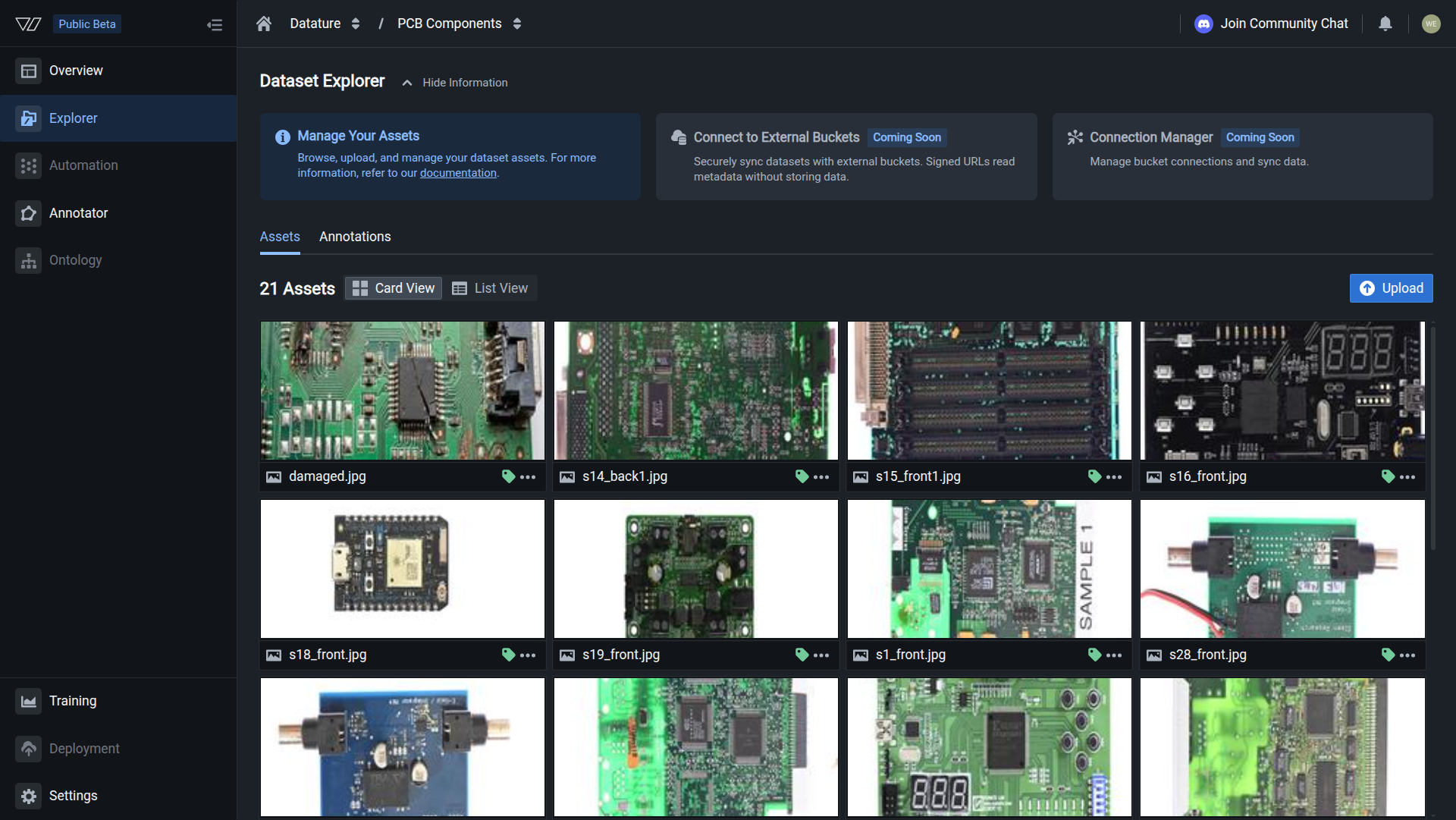
In the Dataset Explorer, click the Annotations tab to access the upload area.
Your annotations are uploaded when you see a successfully finished job.
Create annotations in the annotator
Use this method if you need to label images from scratch.
Open the Annotator tab
Go to the Dataset Overview page and click the Annotator tab to open the labeling interface.
Your annotations are ready when you see annotation count matching the image count, and heatmaps showing annotation patterns.
Next steps
Next: Train A Model
Create a training project, configure a workflow, and start your first training run.
Full Annotation Guide
Learn about all annotation formats, IntelliScribe AI tools, and annotation best practices.
AI-Assisted Annotation
Use IntelliScribe to auto-generate annotations and speed up your labeling workflow.
Upload Annotations via SDK
Import annotations programmatically using the Vi SDK for automated pipelines.
Updated 5 months ago