Rename Organization
Update your organization's display name while preserving the unique organization ID
Rename organization
Update your organization's display name to reflect rebranding, team changes, or naming conventions. The organization ID remains unchanged to maintain API compatibility and system references.
PrerequisitesBefore renaming your organization, ensure you have:
- Owner or Admin role in your organization
- A new name that follows your organization's naming conventions
Organization name vs. Organization IDOrganization Name is the display name shown throughout the platform—you can change this at any time.
Organization ID is a unique identifier used in API calls, URLs, and system integrations—this cannot be changed after creation.
Rename your organization
-
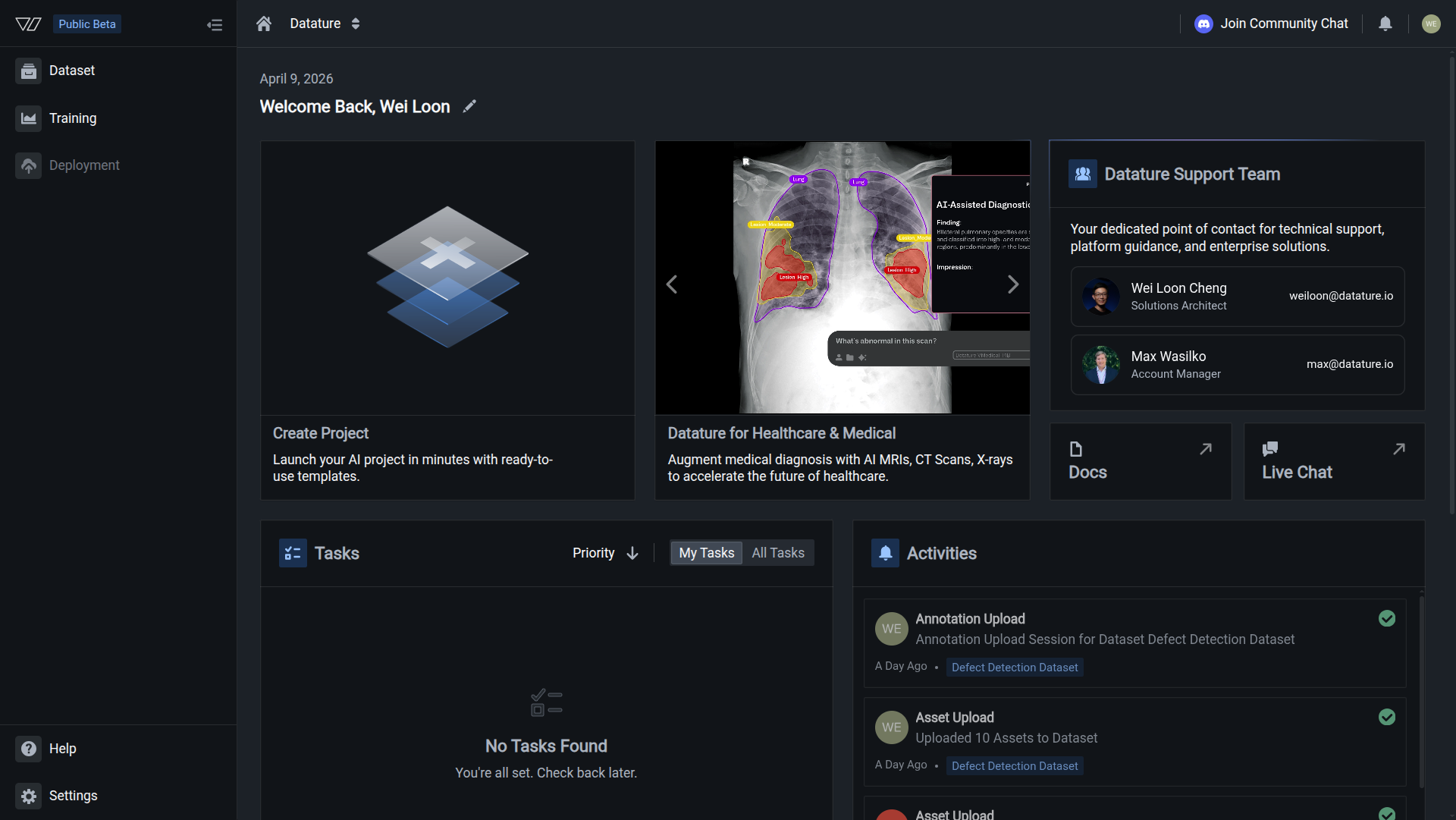
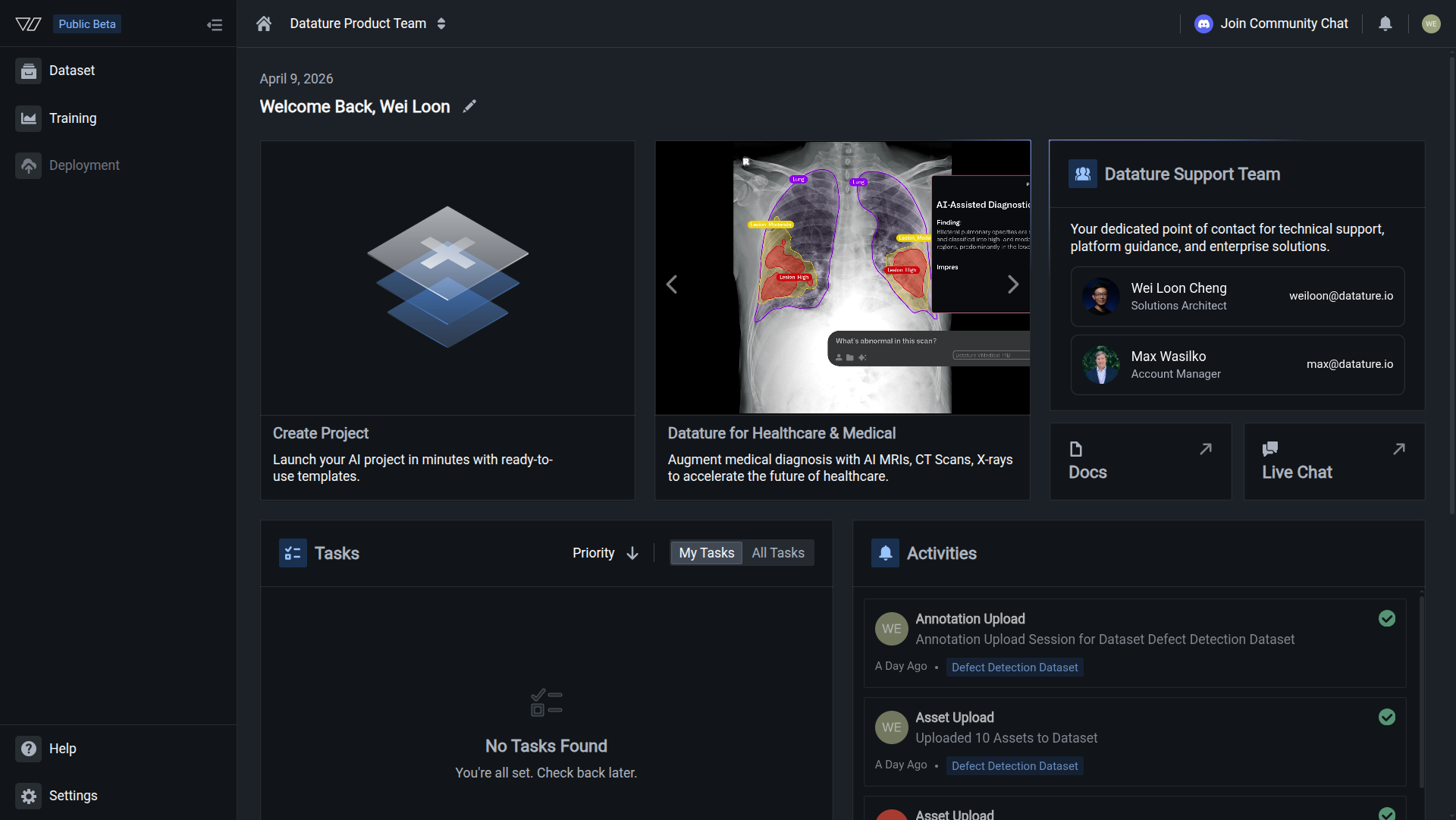
Click the Settings icon in the bottom left corner of your workspace dashboard
-
Go to the organization settings menu (top navigation bar) and select your organization name
-
Click General in the left sidebar
-
In the Organization Name section, update the text field with your new name
- Click Update to save the new name
The change takes effect immediately across your organization. All members will see the updated name in the platform interface.
Organization renamedYour organization's display name is updated throughout the platform. Members will see the new name in navigation, project lists, and settings.
Understanding organization identifiers
Your organization has two identifiers with different purposes:
Organization Name (editable)
Purpose: Display name shown to users throughout the platform
Used in:
- Navigation bar and organization switcher
- Project and dataset headers
- Member invitation emails
- Platform notifications
Can be changed: ✅ Yes, anytime by Admins or Owners
Example: "Acme Manufacturing", "Data Science Team", "Vision AI Lab"
Organization ID (permanent)
Purpose: Unique identifier for API calls, integrations, and system references
Used in:
- API requests and responses
- URLs (e.g.,
https://vi.datature.io/org/your-org-id/datasets) - Secret key scoping
- Vi SDK configuration
- Webhooks and integrations
Can be changed: ❌ No, permanently set at organization creation
Example: acme-manufacturing, data-science-team, vision-ai-lab
Organization ID is permanentYour organization ID cannot be modified after creation. It's a unique identifier that ensures API compatibility and prevents conflicts with other organizations. Plan carefully when creating a new organization.
Impact of renaming
What changes after renaming
When you rename your organization:
- ✅ Organization name updates in navigation and headers
- ✅ New name appears in member invitation emails
- ✅ Project lists and settings display the new name
- ✅ Future notifications use the updated name
What stays the same
Renaming your organization does not affect:
- ✅ Organization ID remains unchanged
- ✅ API endpoints continue working without modifications
- ✅ Secret keys remain valid
- ✅ URLs with organization ID still work
- ✅ Vi SDK configurations don't need updates
- ✅ All datasets, training projects, and models remain accessible
- ✅ Member access and permissions stay intact
No downtime or disruptionRenaming your organization is instant and requires no system changes. API integrations, SDK code, and team workflows continue uninterrupted.
Common use cases
Rebranding your organization
When your company or team rebrands:
- Update your organization name to match the new brand
- Notify team members about the name change
- Update internal documentation referencing the old name
- No code or API changes needed—integrations continue working
The new name reflects your brand while maintaining technical compatibility.
Clarifying team ownership
For organizations shared across teams that need clearer naming:
- Change from generic names (e.g., "Team Project") to specific ones (e.g., "QA Vision Team")
- Include department, region, or purpose in the name
- Update the name as team structure evolves
Clear names help members quickly identify the right organization when switching between multiple organizations.
Aligning with naming conventions
To standardize organization names across your company:
- Establish naming conventions (e.g., "[Department] - [Purpose]")
- Update existing organizations to follow the convention
- Document the standard for future organizations
Consistent naming improves discoverability and organization.
Correcting typos or errors
To fix mistakes in the original organization name:
- Navigate to General settings
- Correct the spelling, capitalization, or formatting
- Click Update to save
Simple corrections improve professionalism without technical impact.
Best practices
Choose clear, descriptive names
Make organization names meaningful:
- Include team, department, or project context
- Use consistent capitalization and formatting
- Avoid abbreviations unless widely understood
- Keep names concise (under 50 characters recommended)
Example good names:
- "Manufacturing QA Team"
- "Retail Computer Vision"
- "Healthcare AI - Research"
Example unclear names:
- "Proj1"
- "test-org"
- "ABC123"
Communicate changes to your team
Notify members when renaming:
- Announce the name change in team channels
- Explain the reason for the change
- Update internal documentation and wikis
- Remind members that technical integrations are unaffected
Prevents confusion and ensures everyone recognizes the updated name.
Plan organization IDs carefully
Since organization IDs cannot be changed:
- Choose meaningful, permanent IDs when creating organizations
- Use lowercase, hyphens, and avoid special characters
- Follow your company's naming conventions
- Consider longevity—will this ID make sense in 5 years?
You can rename the display name anytime, but the ID is forever.
Document naming conventions
Create organization naming guidelines:
- Define standard formats for different team types
- Specify required or optional information (department, region, etc.)
- Document examples for reference
- Review and update conventions as needs change
Standardization scales as your company grows.
Common questions
Can I change my organization ID?
No. Organization IDs are permanent and cannot be modified after creation. They're used in:
- API endpoints and URLs
- Secret key configurations
- Vi SDK client initialization
- System integrations and webhooks
Changing the ID would break all these technical dependencies. If you need a different ID, create a new organization and migrate your resources.
What happens to API calls after renaming?
Nothing—API calls continue working without any changes. Organization IDs (not names) are used in API requests, so renaming has zero impact on:
- Vi SDK scripts
- API integrations
- Webhooks
- Automation workflows
Your technical integrations remain functional.
Will URLs change after renaming?
No. URLs use the organization ID (which cannot change), not the organization name. All bookmarks, shared links, and documentation referencing URLs remain valid after renaming.
Example: https://vi.datature.io/org/acme-manufacturing/datasets stays the same regardless of organization name updates.
How often can I rename my organization?
There's no limit on how often you can rename your organization. However, frequent changes can confuse team members. Best practice: rename only when necessary for clarity or rebranding.
Do members get notified when the organization is renamed?
No automatic notifications are sent to members when you rename an organization. It's your responsibility to communicate name changes to your team through:
- Team chat or email
- Internal announcements
- Documentation updates
Members will see the new name in the platform immediately, but proactive communication prevents confusion.
Can I use special characters in organization names?
Organization names (display names) support most characters including spaces, hyphens, and symbols. However, organization IDs have stricter requirements (lowercase, hyphens only).
Recommended for names:
- Letters, numbers, spaces
- Hyphens and underscores
- Parentheses for context
Avoid:
- Excessive special characters
- Emoji (may not display consistently)
- Very long names (keep under 50 characters)
What if I need a different organization ID?
If you need a different organization ID, your only option is to:
- Create a new organization with the desired ID
- Migrate datasets, training projects, and models to the new organization
- Update secret keys and API configurations
- Remove members from the old organization
- Add members to the new organization
This is a significant undertaking. Plan organization IDs carefully during initial creation.
For assistance with migrations, contact Datature support at [email protected].
Related resources
- Team Settings overview — Complete guide to organization management
- Add members — Invite team members to your renamed organization
- Secret Keys — API authentication tied to organization ID
- Vi SDK Getting Started — Configure SDK with organization ID
Need help?
We're here to support your VLMOps journey. Reach out through any of these channels:
Updated about 1 month ago