Rename a Model

Change your model name to better reflect its purpose, version, or deployment stage.

Rename your trained model to reflect its current purpose, version, or deployment stage. Renaming a model updates only the display name—all configurations, model weights, and the model ID remain unchanged.

Renaming is safe

  • Model ID stays the same — API integrations and deployments continue to work
  • All data is preserved — Weights, adapters, configurations, and metrics remain intact
  • No downtime — Active inference and deployments are unaffected
  • Change anytime — You can rename models as often as needed

When to rename a model

Consider renaming your model when:

  • Improved clarity — A more descriptive name helps team members understand its purpose
  • Version tracking — Distinguish between model versions (e.g., "PCB Defect Detection v2.1")
  • Deployment stages — Indicate status (e.g., "Production Model", "Staging", "Testing")
  • Use case identification — Clearly describe what the model does (e.g., "Manufacturing QC - Scratch Detection")
  • Project organization — Standardizing naming conventions across your team
  • Performance updates — Reflect improvements (e.g., "High Accuracy Product Classifier")

Navigate to Models page

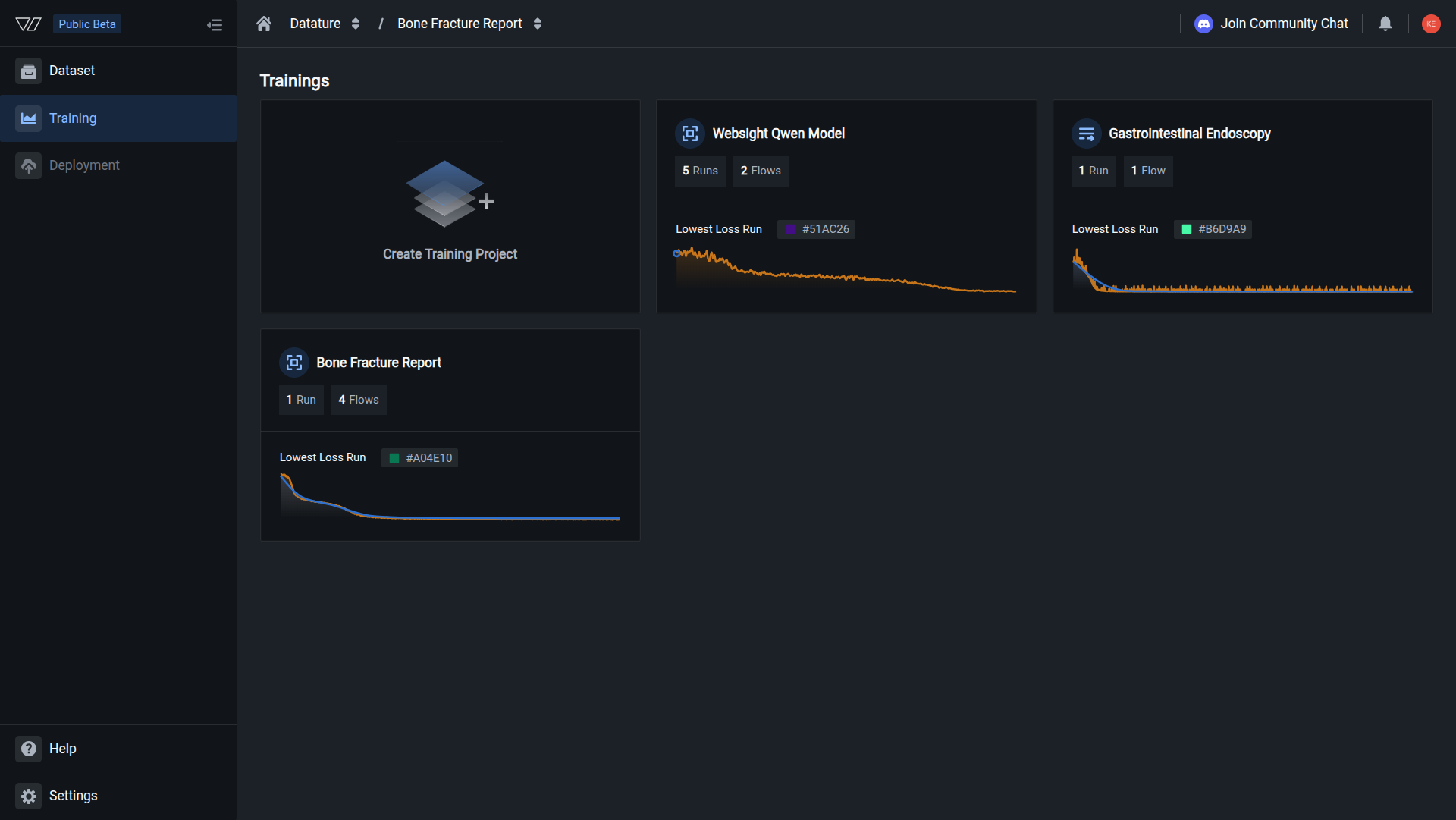
  1. Navigate to your training project

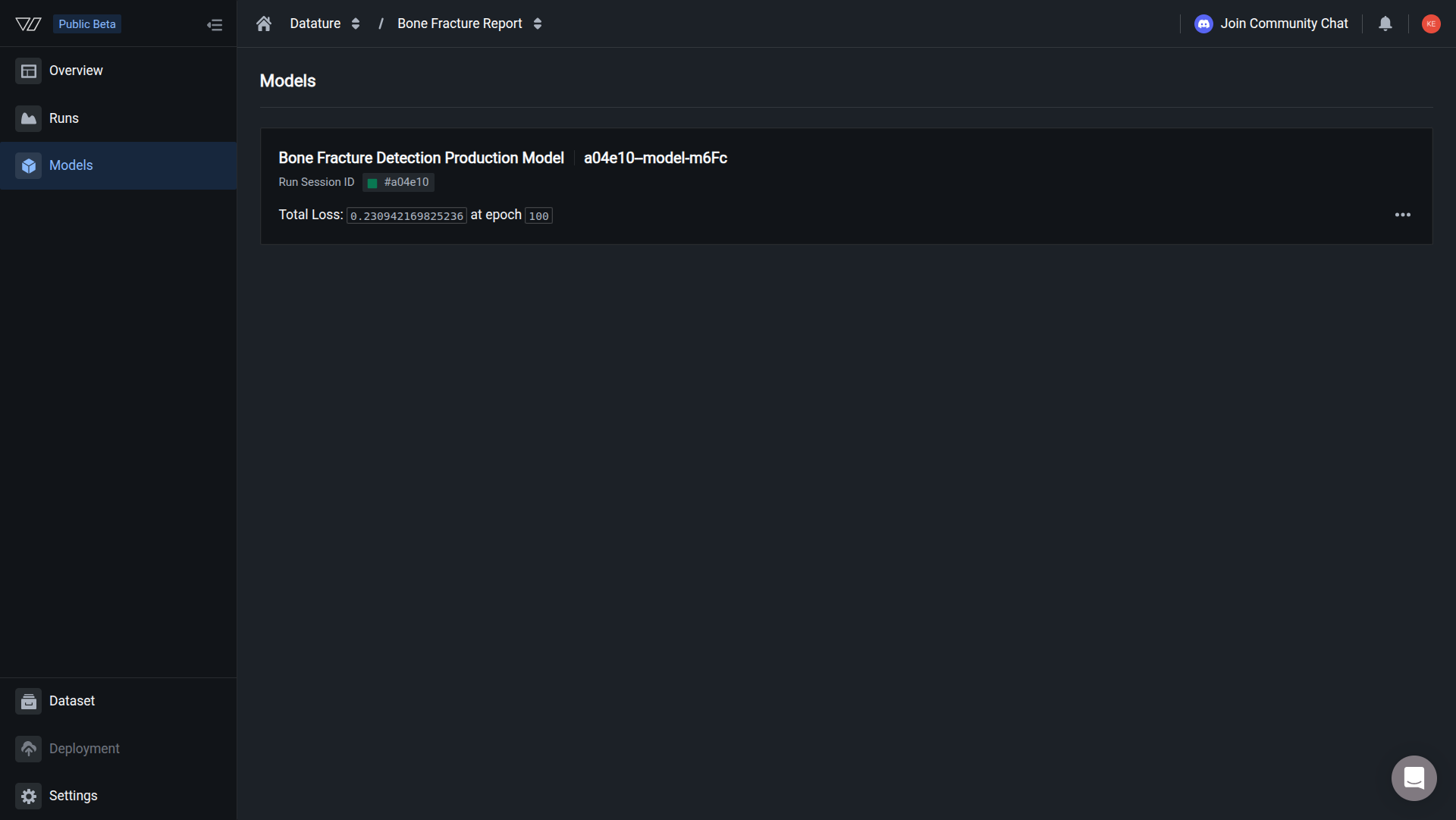
  2. Click the Models tab in the sidebar

  3. Locate the model you want to rename

  4. Click the three-dot menu (⋮) on the right side of the model card

  5. A dropdown menu appears with the following options:


Rename your model

  1. Click Rename Model from the dropdown menu

  2. A dialog appears with the current model name in an editable field

  3. Enter your new model name

    💡

    Naming best practices

    • Be descriptive — Explain what the model does (e.g., "PCB Defect Detection" instead of "Model 1")
    • Include version — Track iterations with version numbers (e.g., "Product Classifier v2.1")
    • Indicate stage — Show deployment status (e.g., "Production - Quality Control", "Staging - Product Detection")
    • Use consistent format — Follow your organization's naming conventions
    • Keep it concise — Aim for 3-8 words for readability
    • Add context — Include base model or task type if helpful (e.g., "Qwen2VL - Manufacturing QC")
  4. Click Save or Confirm to apply the new name

The name updates immediately. Your model now appears with the new name throughout the platform.

Name updated successfully

Your model has been renamed. The new name appears in:

  • Models list in your training project
  • Run details and training history
  • Downloaded models and exports
  • SDK queries and API responses
  • Deployment configurations
  • Team member notifications

What changes when you rename

Updated:

  • Display name in the platform UI
  • Model name in the Models tab
  • Name shown in run details
  • Name returned by SDK queries
  • Name in export and download operations
  • Name in deployment configurations

Unchanged:

  • Model ID (Run ID) — Used for API calls, downloads, and integrations
  • Model weights and adapter files
  • Training configuration and hyperparameters
  • Training metrics and evaluation results
  • Model performance characteristics
  • Active deployments and inference endpoints
  • Team member access and permissions
🔑

Model ID remains constant

The model ID (also called run ID) never changes, even when you rename the model. This ensures your API integrations, SDK scripts, deployments, and inference workflows continue to work without requiring updates.

You can find your model ID in the Models tab or by viewing the run details.


Naming conventions for teams

Establish consistent naming conventions to help your team stay organized:

Pattern 1: Task-Version

Simple and clear for small teams:

  • Defect Detection v1
  • Product Classification v2.1
  • Quality Control v3

Pattern 2: Stage-Task-Version

Include deployment stage for production tracking:

  • PROD - PCB Inspection v2.0
  • STAGING - Defect Detection v2.1
  • DEV - Product Classifier v1.5

Pattern 3: BaseModel-Task-Version

Useful when training multiple architectures:

  • Qwen2VL - Manufacturing QC v1
  • Florence2 - Product Detection v2
  • Llama3.2 - Visual Inspection v3

Pattern 4: Project-UseCase-Version

For organizations with multiple projects:

  • Manufacturing - Scratch Detection v2.1
  • Quality Control - Component Check v1.0
  • Packaging - Label Verification v3.2
💡

Choose what works for you

There's no one "correct" naming convention. Choose a pattern that makes sense for your team's workflow and stick to it consistently across projects.


Rename models via Vi SDK

You can update model names programmatically using the Vi SDK:

Rename model using Vi SDK
import vi

# Initialize client
client = vi.Client(
    secret_key="your-secret-key",
    organization_id="your-organization-id"
)

# Get the run (models are identified by run ID)
run = client.runs.get(run_id="your-run-id")

# Update the name
run.update(name="New Model Name v2.0")

print(f"✓ Model renamed to: {run.name}")

Rename multiple models:

# Rename all models from a specific project
project_id = "your-project-id"

for run in client.runs:
    if run.project_id == project_id and run.status.phase == "succeeded":
        # Add prefix to indicate production status
        new_name = f"PROD - {run.name}"
        run.update(name=new_name)
        print(f"✓ Renamed: {run.name}")

Batch rename with version tracking:

# Add version numbers to existing models
models_to_version = {
    "run_abc123": "PCB Defect Detection v1.0",
    "run_def456": "PCB Defect Detection v2.0",
    "run_ghi789": "PCB Defect Detection v2.1",
}

for run_id, new_name in models_to_version.items():
    run = client.runs.get(run_id=run_id)
    run.update(name=new_name)
    print(f"✓ {run_id}: {new_name}")

Learn more about Vi SDK Runs →


Common questions

Will renaming break my deployments or inference code?

No. Deployments and inference code reference models by their unique run ID, not by name. Renaming a model doesn't affect:

  • Active deployments or inference endpoints
  • SDK code using ViModel(run_id=...)
  • Downloaded models on your local system
  • API integrations and webhooks

The model ID remains unchanged, so everything continues working normally.

Can I use special characters or emojis in model names?

Model names support most standard characters including:

  • Letters, numbers, and spaces
  • Hyphens and underscores (-, _)
  • Parentheses and brackets ((), [])
  • Version notation (v1, v2.1, V3.0)
  • Periods and commas

Avoid:

  • Leading or trailing spaces
  • Only special characters (e.g., ---)
  • Extremely long names (keep under 100 characters)
  • Emojis (not fully supported in all contexts)
Will my team be notified when I rename a model?

No automatic notification is sent to team members. If you're renaming models used in production or by other team members:

  1. Inform your team about the name change
  2. Update any documentation that references the old name
  3. Consider whether the rename affects team workflows
  4. Keep a changelog for production models

Since the model ID stays the same, no code or configuration needs updating.

Can I rename a model while it's being used for inference?

Yes. You can rename a model at any time, even while:

  • Inference requests are being processed
  • The model is deployed to production
  • Team members are downloading the model
  • Automated workflows are using the model

Since inference uses the model ID (not the name), active operations continue without interruption.

Can I see the history of name changes?

The platform doesn't currently maintain a visible history of model name changes. To track changes over time:

  • Keep a changelog document for production models
  • Use version control for deployment configurations
  • Document naming changes in project notes
  • Include change dates in model descriptions

For audit requirements, consider maintaining an external log of model updates.

What's the difference between renaming a model and a run?

Models and runs are the same entity in Datature Vi:

  • Each training run produces a model
  • The "model" is the trained artifact from the run
  • Renaming a model also renames the associated run
  • The run ID and model ID are the same identifier

When you rename a model in the Models tab, the corresponding run name also updates in the Runs tab, and vice versa.


Version tracking examples

Here are practical examples of how to track model versions with names:

Iterative improvements

Track successive improvements to the same model:

Initial:     "Product Defect Detection"
After tuning: "Product Defect Detection v1.1"
Major update: "Product Defect Detection v2.0"
Bug fix:      "Product Defect Detection v2.0.1"
Production:   "PROD - Product Defect Detection v2.0.1"

Benefits:

  • Clear progression of improvements
  • Easy to identify latest version
  • Production models clearly marked
A/B testing

Compare different model configurations:

"PCB Inspection - Qwen2VL - Test A"
"PCB Inspection - Qwen2VL - Test B"
"PCB Inspection - Florence2 - Test A"

After testing:

"PROD - PCB Inspection - Qwen2VL"  (winner)

Benefits:

  • Easy comparison of approaches
  • Clear indication of experiments
  • Simple transition to production
Multi-stage deployment

Track models across deployment stages:

Development:  "DEV - Quality Control v3.0"
Staging:      "STAGING - Quality Control v3.0"
Production:   "PROD - Quality Control v3.0"

Benefits:

  • Environment-specific identification
  • Same version across stages
  • Clear deployment path
Date-based versioning

Include training dates for historical tracking:

"Manufacturing QC - 2026-01 - v1"
"Manufacturing QC - 2026-02 - v2"
"Manufacturing QC - 2026-03 - v2.1"

Benefits:

  • Clear temporal tracking
  • Easy to identify model age
  • Useful for compliance and auditing

Best practices

Version everything

Always include version numbers (v1, v2.0, etc.) to track model iterations

Be consistent

Use the same naming pattern across all models in your organization

Mark production

Clearly indicate which models are deployed to production

Document changes

Keep notes on why you renamed a model and what changed

Communicate updates

Inform team members about name changes for shared models

Keep it readable

Use concise, descriptive names that are easy to scan in lists


Next steps


Related resources